

The IdahoMesh bot
What the bot's commands do, and what its replies mean.
The IdahoMesh bot listens on test channels and responds to a few commands. It's run by IdahoMesh and operates from Nampa, so your message has to reach the Treasure Valley for it to answer. We will be adding additional Bot operating locations soon.
Where it listens
Our bot listens on the standard #test channel and will respond to any test command using the region you sent the test with. It also listens on region-specific test channels we created for the IdahoMesh Bot. Each channel expects its corresponding region. For example, the #id-test channel expects a region of id and channel #sw-id-test expects region #sw-id. Having region-specific test channels means you can leave that channel configured for that region rather than constantly swapping #test to different regions. Our bot listens on the region text channels #west-test, #pnw-test, #boi-test, #imw-test and a few others.
#id-test is our primary IdahoMesh test channel
Test Commands
The IdahoMesh Bot responds to several different test commands, including one that is unique to the IdahoMesh Bot, health. We also listen for test, ping, and path. These four test commands share similarities but differ in the response you'll get over the air.
Health
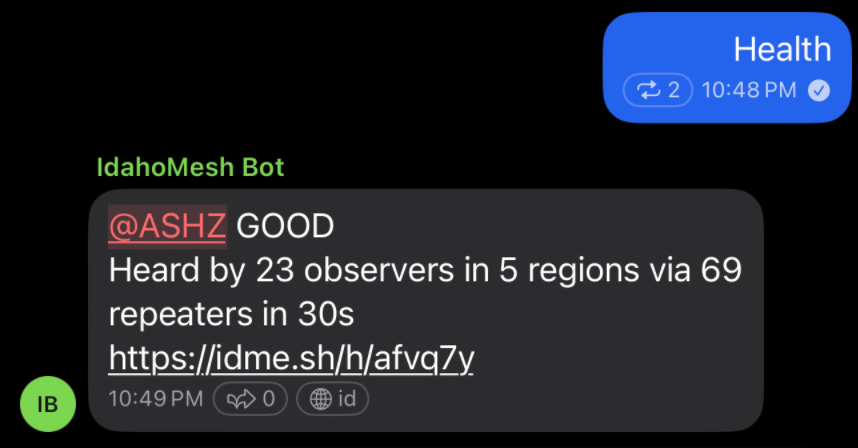
The health command logic was developed specifically for IdahoMesh Bot and is unique on the Mesh. Sending health on a test channel will cause the IdahoMesh Bot to listen for your 'health' message's specific signature (hash) across its network of observers in and around Idaho. It'll compile these sightings, trace each instance across the mesh, and perform network analysis to confirm each hop's path and repeaters are valid. After 30 seconds, it'll reply with a graded report, including how many observers heard your message, across how many regions, and how many unique repeaters relayed your message. Finally, it includes a link to your specific health report, which includes a map where you can see (and replay) each hop your message took across the mesh. For more information, see Health check.
Test
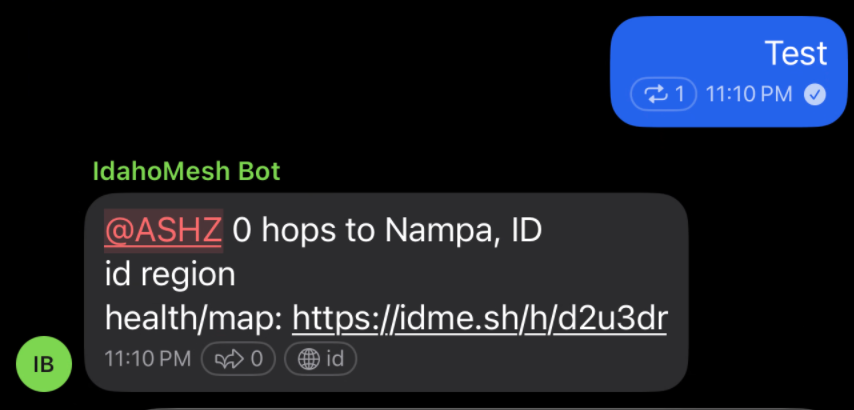
Sending test will get you an immediate response telling you how many hops your message took to land at the IdahoMesh Bot's primary receiver. It'll also show your region and provide a link to a health report and path map, which is the same as the report you get after sending health. It takes 30 seconds to generate the health report, though, so if you click the link quickly, the page will show a countdown until 30 seconds has elapsed before showing your health grade.
As you see both health and test give you a link to a health report and interactive path map. The major difference is that with health you get the grade sent to you as a reply after 30 seconds. And on test the reply is immediate, but it gives you the hop count. Both of these commands have their use cases. If you're not in a hurry, use health.
Ping
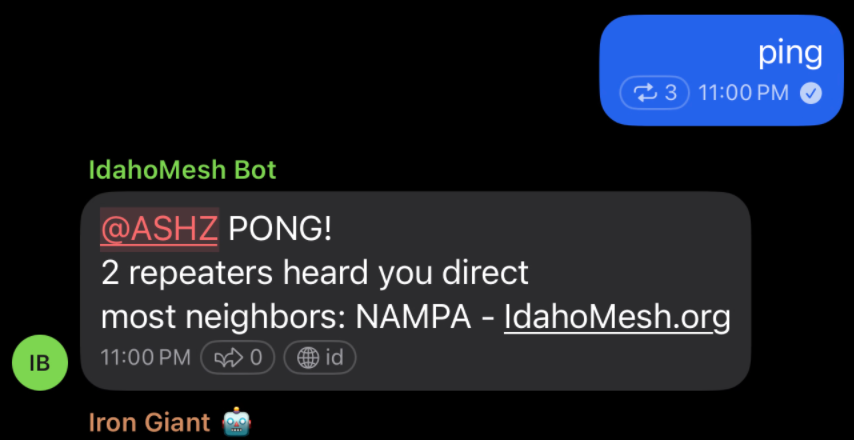
The last test command is ping which replies almost immediately. It actually waits 2 seconds to gather the first few observer reports to determine the unique list of repeaters that heard you direct. That is, these are the repeaters that can hear your radio. The bot then picks the one with the most confirmed neighbors, and replies to the ping with the number of repeaters that heard you direct along with the name of the repeater among those that has the most neighbors. Basically, this is meant to tell you your best first hop.
Reminders and Nudges it may send
The bot sometimes adds a short reminder after its reply. Each one comes at most once a week per person.
- Path hash size: your radio sent 1-byte paths. Please set your radio to use 2-byte paths.
- Region scope: the channel you used expects a region. Set the channel's region scope in the app. See Regions on IdahoMesh.
- Testing on a chat channel: it points you to the right test channel.
No reply?
Your message may not have reached our observers in SW Idaho. We are working to roll out our IdahoMesh Bot remote nodes in a couple of other areas across the state.